Lenovo Yoga Slim 7 Pro X AMD Radeon Driver Crash Windows 11
The AMD Radeon driver crashes on your Lenovo Yoga Slim 7 Pro X – the display goes black briefly, then shows AMD Radeon Software has stopped working, or the system freezes during GPU-intensive tasks. The Event Viewer shows amdkmdag.sys or atikmpag.sys as the faulting driver.
This guide covers DDU clean reinstall, the correct Lenovo-qualified AMD driver, and SmartShift configuration to stop Radeon driver crashes on the Yoga Slim 7 Pro X in Windows 11.
“AMD driver kept crashing on my Yoga Slim 7 Pro X when watching YouTube fullscreen. Lenovo Support driver fixed the crashes that the AMD.com driver version caused.” – Rashidah, video editor from Subang
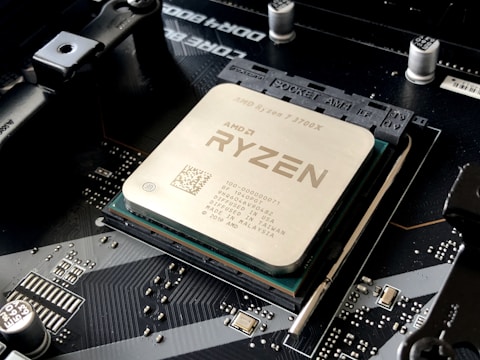
Why Radeon Driver Crashes on Yoga Slim 7 Pro X AMD
The Yoga Slim 7 Pro X AMD uses a dual-GPU AMD Advantage configuration: Ryzen 9 with integrated Radeon 680M plus RX 6600M discrete GPU. SmartShift dynamically shifts power between them. The standard AMD Adrenalin package from AMD.com does not include Lenovo-specific SmartShift power tables, and driver versions that do not match the Lenovo BIOS firmware communication can cause TDR (Timeout Detection and Recovery) crashes during GPU switching.
- Generic AMD Adrenalin driver from AMD.com incompatible with Lenovo SmartShift firmware tables
- TDR crash during GPU switching from iGPU to dGPU in Hybrid mode
- AMD driver version not matching BIOS version causing ACPI communication error
- Adrenalin overlay causing crash when hardware monitor queries conflicting sensor values
Fix 1 – Clean Install with DDU in Safe Mode
Boot Windows 11 to Safe Mode. Run Display Driver Uninstaller, select GPU and AMD, and click Clean and restart. After normal boot, do NOT install from AMD.com. Go to support.lenovo.com, search for Yoga Slim 7 Pro X, and download the AMD Radeon driver under Display – Video. This Lenovo package includes SmartShift tuning and BIOS-matched firmware for the Slim 7 Pro X chassis.
Fix 2 – Disable AMD Radeon Overlay
Open AMD Radeon Software (if still accessible before crash), go to Settings – General and disable the In-game overlay and Radeon Software metrics overlay. The Radeon overlay queries hardware sensors at high frequency during gaming, and conflicts between the Lenovo EC sensor values and Adrenalin Software can trigger driver crashes. Disabling the overlay reduces sensor query frequency to safe levels.
Update BIOS via Lenovo Vantage
Open Lenovo Vantage and check Device – System Update for BIOS updates. AMD Radeon driver crashes on Yoga Slim 7 Pro X are often resolved by BIOS updates that include matching EC firmware for the AMD driver package. Install BIOS update before reinstalling the AMD driver to ensure firmware and driver versions are synchronized.

Fix 3 – Block Windows Update from Overwriting AMD Driver
After installing the Lenovo-qualified AMD driver, prevent Windows Update from replacing it. Go to Settings – Windows Update – Advanced options – Optional updates. Under Driver updates, do not install AMD display driver updates from Windows Update. Use the Microsoft Show or Hide Updates troubleshooter to block the AMD driver package that conflicts with the Yoga Slim 7 Pro X firmware.
Fix 4 – Disable Hardware Accelerated GPU Scheduling
Go to Settings – System – Display – Graphics – Change default graphics settings. Turn off Hardware-accelerated GPU scheduling (HAGS). HAGS on AMD Advantage dual-GPU configurations can cause scheduling conflicts during iGPU to dGPU workload transitions on the Yoga Slim 7 Pro X, triggering TDR events. Disabling HAGS trades minor latency for crash stability.
Frequently Asked Questions
Why does Radeon driver crash on Yoga Slim 7 Pro X AMD?
Generic AMD.com driver is incompatible with Lenovo SmartShift firmware. Use the Lenovo-qualified AMD driver from Lenovo Support after DDU clean removal.
How do I fix AMD driver crash on Yoga Slim 7 Pro X?
DDU clean install in Safe Mode, then install Lenovo-provided AMD driver from Lenovo Support. Update BIOS via Vantage first for firmware synchronization.
What GPU does Lenovo Yoga Slim 7 Pro X AMD have?
AMD Radeon RX 6600M discrete plus Radeon 680M integrated, AMD Advantage configuration with SmartShift.
Does Yoga Slim 7 Pro X support AMD SmartShift?
Yes – AMD Advantage with SmartShift. Requires the Lenovo-qualified AMD driver package; generic AMD.com drivers do not include SmartShift power tables for this chassis.
Conclusion
AMD Radeon driver crashes on Lenovo Yoga Slim 7 Pro X in Windows 11 are caused by installing the generic AMD driver instead of the Lenovo-qualified package. DDU clean removal followed by Lenovo Support AMD driver installation, combined with BIOS update via Lenovo Vantage, resolves the TDR crashes during GPU switching. Disabling HAGS and the Radeon overlay provides additional stability while running the Lenovo-qualified driver.
Ryan holds a Computer Science degree and has spent over 15 years troubleshooting Windows hardware and driver issues across major laptop brands. He writes practical, step-by-step guides for everyday users at softwaredriverdownload.com.
Leave a Reply