MSI Titan GT77 HX Overheating and Throttling Fix Windows 11
Your MSI Titan GT77 HX throttles during sustained gaming or rendering – CPU core clocks drop from 5.0GHz to 3.5GHz, GPU clocks reduce mid-game, and temperatures exceed 100 degrees even with fans at maximum. The Titan GT77 HX generates enormous heat from the Core i9 and RTX 4090 combination that requires specific thermal management steps.
This guide covers MSI Center configuration, undervolting, vent cleaning, and thermal paste replacement to stop overheating and throttling on the MSI Titan GT77 HX in Windows 11.
“Titan GT77 HX throttled in Cinebench after 2 minutes. CPU hit 100 degrees and clocks dropped. Undervolted CPU by -100mV in ThrottleStop and repasted after 2 years. No more throttling during sustained renders.” – Iskandar, VFX artist from Ampang
Why MSI Titan GT77 HX Throttles
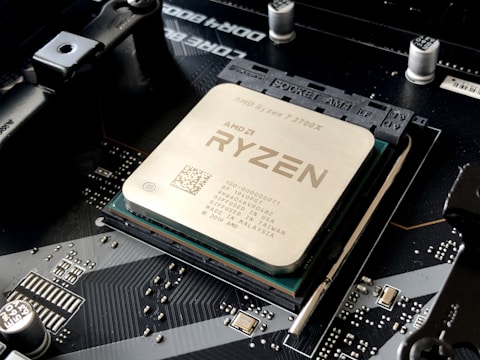
The MSI Titan GT77 HX houses Intel Core i9-13950HX (24 cores, up to 157W PL2) and NVIDIA RTX 4090 Mobile at 175W TGP. Combined peak thermal output exceeds 300W. Even with Cooler Boost 5 triple-fan design, sustained all-core gaming or rendering can push CPU temperature to 100 degrees where Intel thermal protection reduces clock speeds. After 18+ months, factory thermal paste degrades, increasing thermal resistance and worsening throttle conditions.
- CPU and GPU combined thermal output near 300W exceeding sustained cooling capacity in Balanced mode
- MSI Center in Balanced mode limiting fan RPM and GPU TGP below maximum
- Factory thermal paste degraded after 18+ months causing higher CPU temperatures at same load
- Vents clogged with dust reducing air throughput through the Cooler Boost 5 heatsink
Fix 1 – Enable Extreme Performance and Cooler Boost
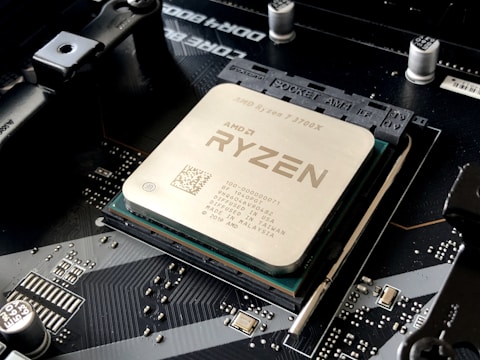
Connect the MSI Titan GT77 HX to the 330W power adapter. Open MSI Center – User Scenario and select Extreme Performance. Also click Cooler Boost to run all fans at maximum RPM. Extreme Performance allows the RTX 4090 at 175W TGP and the CPU at maximum PL2. Cooler Boost provides maximum airflow through the triple-fan heatsink. Use HWiNFO64 to monitor temperatures after switching – sustained loads should run 5-8 degrees cooler than Balanced mode.
Fix 2 – Undervolt CPU with ThrottleStop
Download ThrottleStop. In the FIVR section, find Core Voltage Offset and set to -100mV. Click OK and Apply. Lower CPU core voltage reduces heat at the same clock speed. The Core i9-13950HX in the Titan GT77 HX typically accepts -100 to -150mV undervolt, reducing sustained load temperatures by 8-15 degrees and eliminating thermal throttle during Cinebench or rendering workloads. Test stability in Cinebench and reduce undervolt if the system crashes.
Undervolt RTX 4090 with MSI Afterburner
Open MSI Afterburner, press Ctrl + F for the voltage curve. Apply a -75mV undervolt to the RTX 4090 core voltage. Combined with the CPU undervolt, total system heat generation at full load drops significantly. The Titan GT77 HX cooling system can then maintain CPU and GPU temperatures below throttle thresholds even during sustained dual-chip stress loads.
Fix 3 – Clean Vents with Compressed Air
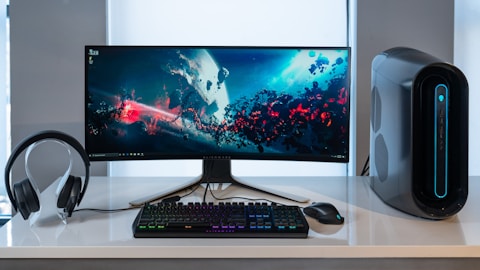
Power off the Titan GT77 HX and use compressed air through the rear and side exhaust vents. Dust accumulation on the Cooler Boost 5 fin stacks reduces airflow efficiency. For comprehensive cleaning, remove the bottom panel and blow compressed air directly through the heatsink fins from the inside. Clean vents can reduce operating temperatures by 5-10 degrees and eliminate throttle caused by reduced airflow.
Fix 4 – Replace Thermal Paste
If the Titan GT77 HX is over 18 months old and throttle is worsening progressively, replace the factory thermal paste. Remove the bottom panel and heatsink. Clean old paste with 99 percent isopropyl alcohol and cotton swabs. Apply a pea-sized amount of Thermal Grizzly Kryonaut or Conductonaut on the CPU die and GPU die. Quality thermal paste replacement on the Core i9 and RTX 4090 can reduce temperatures by 10-15 degrees compared to degraded factory paste.
Frequently Asked Questions
How do I fix MSI Titan GT77 HX overheating throttling?
Extreme Performance mode in MSI Center on 330W AC, Cooler Boost, CPU undervolt via ThrottleStop, GPU undervolt via Afterburner, clean vents, and repaste if over 18 months old.
What temperature should MSI Titan GT77 HX CPU run at?
95-100 degrees under sustained all-core gaming. Throttle occurs above 100 degrees. Temperatures above 100 degrees under mixed load indicate cooling issue.
Does MSI Titan GT77 HX have Cooler Boost?
Yes – Cooler Boost 5 triple fan. Available in MSI Center to run all fans at maximum RPM for sustained high-performance workloads.
Can I repaste MSI Titan GT77 HX?
Yes – remove bottom panel and heatsink. Apply Thermal Grizzly Kryonaut or Conductonaut. Reduces CPU and GPU temperatures by 10-15 degrees after factory paste degrades.
Conclusion
MSI Titan GT77 HX overheating and throttling in Windows 11 is addressed through a combination of Extreme Performance mode with Cooler Boost in MSI Center, CPU undervolt via ThrottleStop, RTX 4090 undervolt via MSI Afterburner, vent cleaning, and thermal paste replacement for older units. These steps together reduce sustained gaming temperatures by 15-25 degrees, eliminating thermal throttle and restoring full Core i9 and RTX 4090 clock speeds during prolonged gaming and rendering sessions.
Ryan holds a Computer Science degree and has spent over 15 years troubleshooting Windows hardware and driver issues across major laptop brands. He writes practical, step-by-step guides for everyday users at softwaredriverdownload.com.
Leave a Reply