The RTX 4090 on your ASUS ROG Zephyrus G16 2024 throttles during extended gaming – clock speeds drop from 2400MHz to 1800MHz or lower after 10-20 minutes, causing visible frame rate drops. The Zephyrus G16 slim chassis requires Turbo mode and undervolting to maintain full RTX 4090 performance throughout gaming sessions.
This guide covers Armoury Crate mode configuration, RTX 4090 undervolting, and airflow optimization to eliminate thermal throttle on the ASUS ROG Zephyrus G16 2024 in Windows 11.
“Zephyrus G16 2024 RTX 4090 throttled hard after 15 minutes in games. Frame rates dropped 25 percent. Turbo mode plus -60mV undervolt eliminated all throttle. Temps stable at 83 degrees now.” – Hafiz, esports content creator from Petaling Jaya
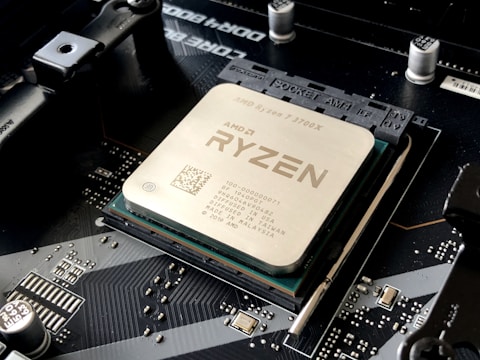
Why RTX 4090 Throttles on ASUS ROG Zephyrus G16 2024
The ASUS ROG Zephyrus G16 2024 is a slim 16-inch chassis housing the RTX 4090 at up to 150W TGP. In Balanced or Silent Armoury Crate modes, the fan curve is conservative to keep noise levels low. When the RTX 4090 reaches 95 degrees, the GPU autonomously reduces clock speed to lower power draw and heat generation. This thermal throttle is a built-in GPU safety mechanism but is avoidable with higher fan speeds and lower GPU voltage.
- Armoury Crate Balanced or Silent mode limiting fan speed below what the RTX 4090 requires at 150W
- RTX 4090 running at factory voltage – undervolting headroom of 50-75mV available without performance loss
- GPU temperature sensor reaching 95 degree throttle threshold during GPU-bound gaming scenes
- Zephyrus G16 placed on soft surface blocking ARC Flow X intake vents
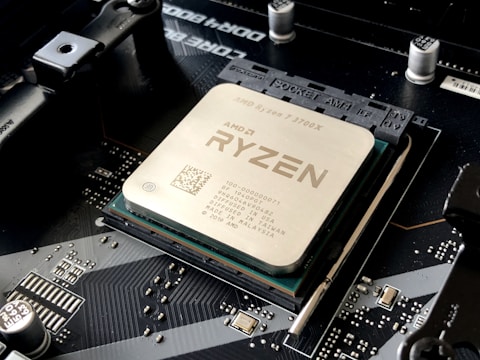
Fix 1 – Enable Turbo Mode in Armoury Crate
Open Armoury Crate. Go to System – Performance mode or Fan profile. Switch to Turbo mode. Turbo mode enables the ROG ARC Flow X dual-fan system at maximum RPM and sets RTX 4090 TGP to 150W. GPU temperatures during Turbo mode are typically 5-10 degrees lower than Balanced mode at the same workload because the fans are running significantly faster. Turbo mode is louder than Balanced but prevents thermal throttle during intense gaming sessions.
Fix 2 – Undervolt RTX 4090 with MSI Afterburner
Download and install MSI Afterburner. Open voltage-frequency curve with Ctrl + F. Identify the highest frequency boost point and reduce its voltage by 50-75mV. Apply and test with 3DMark Time Spy Extreme or a 30-minute gaming session. A successful undervolt maintains the same maximum boost frequency at a lower voltage, reducing power consumption and heat by 10-20W. This 10-20W reduction translates to 5-8 degrees lower GPU temperature.
Monitor Throttle in HWiNFO64
Run HWiNFO64 in Sensors with logging enabled during a gaming session. After the session, review the GPU Clock and GPU Temperature columns. Throttle events appear as sudden drops in GPU clock corresponding to temperature peaks above 95 degrees. After applying Turbo mode and undervolt, the GPU clock should remain stable above 2200MHz and temperature should stay below 88 degrees throughout the session.

Fix 3 – Use on Hard Surface with Rear Elevation
Place the ASUS ROG Zephyrus G16 2024 on a hard desk surface and angle the rear upward slightly using a laptop stand or elevation kit. The ARC Flow X design draws air from both the keyboard area and the bottom vents. Elevation increases the gap between the bottom vents and the desk surface, allowing more air volume to reach the intake fans per second. This physical change reduces sustained GPU temperature by 3-6 degrees without any software adjustments.
Fix 4 – Clean ARC Flow X Fans with Compressed Air
On units with significant use time, dust accumulates at the ARC Flow X fan inlet areas visible through the keyboard perforations. Use compressed air through the keyboard surface and rear exhaust vents to dislodge accumulated dust. The ROG ARC Flow X design allows compressed air cleaning through the keyboard without panel removal. Regular cleaning every 2-3 months maintains maximum airflow efficiency for the Zephyrus G16 2024 dual-fan system.
Frequently Asked Questions
How do I fix thermal throttle on ASUS ROG Zephyrus G16 2024 RTX 4090?
Enable Turbo mode in Armoury Crate, undervolt RTX 4090 with MSI Afterburner -50 to -75mV, and use on hard flat surface with rear elevation.
What is the maximum RTX 4090 TGP on ASUS ROG Zephyrus G16 2024?
Up to 150W in Turbo mode. Slim chassis limits TGP vs thicker ROG Strix models but ARC Flow X fan system maintains stable 150W with correct settings.
Does ASUS ROG Zephyrus G16 2024 have liquid metal thermal compound?
Some configurations use Conductonaut Extreme liquid metal on CPU and GPU dies. Should not be reapplied unless by a qualified ASUS service technician.
Why does ASUS ROG Zephyrus G16 RTX 4090 throttle in games?
Balanced or Silent mode keeps fans too slow for 150W TGP in sustained gaming. Switch to Turbo and undervolt to prevent the 95-degree throttle threshold from being reached.
Conclusion
ASUS ROG Zephyrus G16 2024 RTX 4090 thermal throttle in Windows 11 is eliminated by switching Armoury Crate to Turbo mode for maximum fan speed and applying a -50 to -75mV undervolt in MSI Afterburner. These two changes together keep GPU temperature below the 95-degree throttle threshold during sustained gaming, maintaining consistent RTX 4090 clock speeds throughout long gaming sessions. Laptop elevation and ARC Flow X fan cleaning provide additional thermal headroom.
Ryan holds a Computer Science degree and has spent over 15 years troubleshooting Windows hardware and driver issues across major laptop brands. He writes practical, step-by-step guides for everyday users at softwaredriverdownload.com.
Leave a Reply