On this page
OverviewFix 1 — GPU AssignmentFix 2 — Performance ModeFix 3 — Thermal ThrottleFix 4 — Driver Update
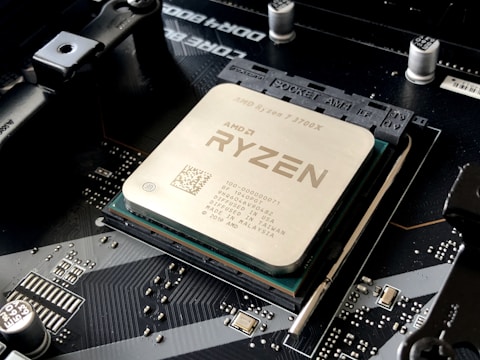
Frame rates drop during gaming on the Lenovo IdeaPad Gaming 3 Gen 7. The AMD Ryzen 5 6600H pairs with a dedicated NVIDIA GPU, but Windows 11 may route games through the integrated Radeon GPU by default, causing major performance reduction.
Fix 1 — Assign Game to NVIDIA GPU
- Right-click desktop → NVIDIA Control Panel
- Manage 3D settings → Program Settings tab
- Click Add and select your game executable
- Set “Preferred graphics processor” to “High-performance NVIDIA processor”
- Apply and restart the game
Fix 2 — Switch to Performance Mode in Lenovo Vantage
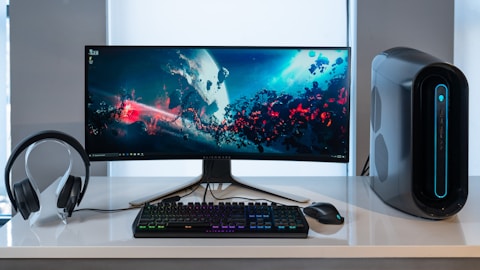
Open Lenovo Vantage → System → Power. Switch from Balanced to Performance mode. This raises the TDP limit for both the CPU and GPU, delivering maximum frame rates.
Fix 3 — Reduce Thermal Throttling
Clean the laptop vents with compressed air to remove dust from the heatsink. Place the laptop on a hard flat surface for better airflow. Use a laptop cooling pad for extended gaming sessions.
Fix 4 — Update NVIDIA Driver
Open NVIDIA GeForce Experience and install the latest Game Ready Driver. Or download directly from NVIDIA for your specific GPU model listed in Device Manager.
“Switching to Performance mode in Lenovo Vantage and assigning my games to NVIDIA GPU doubled the frame rate on my IdeaPad Gaming 3.” — Hafizuddin, Johor Bahru
Ryan holds a Computer Science degree and has spent over 15 years troubleshooting Windows hardware and driver issues across major laptop brands. He writes practical, step-by-step guides for everyday users at softwaredriverdownload.com.
Frequently Asked Questions
Why does frame rate drop on Lenovo IdeaPad Gaming 3 Gen 7?
Games run on the integrated AMD Radeon 660M GPU instead of the dedicated NVIDIA GPU. This happens when Lenovo Vantage is set to Hybrid Graphics mode and the game is not assigned to use the dGPU.
How do I force games to use NVIDIA GPU on IdeaPad Gaming 3 Gen 7?
Open NVIDIA Control Panel → Manage 3D settings → Program Settings → add your game → set preferred graphics processor to High-performance NVIDIA processor.
Does thermal throttling cause FPS drops on IdeaPad Gaming 3 Gen 7?
Yes. If the CPU reaches 95 degrees Celsius, Windows and the AMD firmware throttle the Ryzen 5 6600H to protect it. Using performance mode in Lenovo Vantage and cleaning the vents reduces this.
Which power mode should I use for gaming on IdeaPad Gaming 3 Gen 7?
Use Performance mode in Lenovo Vantage for gaming. This unlocks higher TDP limits for both the AMD Ryzen 5 6600H and the dedicated NVIDIA GPU, providing the best frame rates.
Leave a Reply