HP ProBook 640 G11 Intel Core Ultra 5 125U Sleep of Death Fix Windows 11

The HP ProBook 640 G11 does not wake from sleep — the screen stays black and the power button must be held to force restart. The Intel Core Ultra 5 125U uses Windows 11 Modern Standby (S0ix) which relies on correct Intel ME and driver support. When any component driver is not fully compliant, wake-up events are lost and the laptop appears dead.

HP ProBook 640 G11 sleep of death fix Windows 11 Modern Standby
1

Update BIOS via HP Support Assistant Do first

Open HP Support Assistant → Updates → install any BIOS updates for the ProBook 640 G11. HP BIOS updates for the Intel Core Ultra 5 125U often include Modern Standby wake-up fixes.

2

Update Intel ME, Serial IO, and Bluetooth Drivers

Download and install Intel Management Engine Interface, Intel Serial IO, and Intel Bluetooth drivers from HP Support for ProBook 640 G11. All three must be current for stable Modern Standby operation.

3

Run SleepStudy to Identify the Blocker

Open PowerShell as admin and run: powercfg /sleepstudy. Open the generated HTML report and look for devices or services that are preventing sleep exit. Common culprits are Bluetooth audio and VPN adapters.

“Updating the Intel ME driver from HP Support fixed the sleep of death on my ProBook 640 G11. The generic Windows version was outdated.” — Azwan, Putrajaya

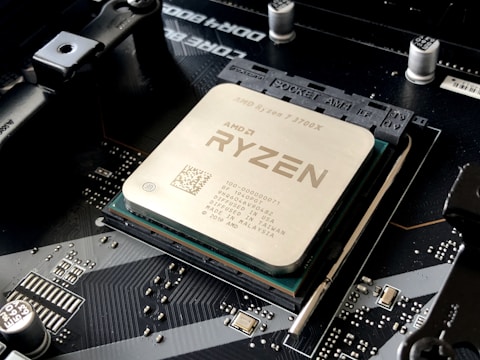
HP ProBook 640 G11 Intel ME driver sleep fix Windows 11
Windows 11 powercfg sleepstudy modern standby fix HP ProBook
About the Author
Ryan holds a Computer Science degree and has spent over 15 years troubleshooting Windows hardware and driver issues across major laptop brands. He writes practical, step-by-step guides for everyday users at softwaredriverdownload.com.

Frequently Asked Questions

What is the sleep of death on HP ProBook 640 G11?

Sleep of death means the laptop does not wake up from sleep and requires a hard reset. On the Intel Core Ultra 5 125U, this is often caused by a conflict between the Intel ME firmware and Windows 11 Modern Standby (S0ix) sleep state.

How do I switch sleep mode on HP ProBook 640 G11?

Open a PowerShell window as admin and run: powercfg /setacvalueindex SCHEME_CURRENT SUB_SLEEP 9d7815a6-7ee4-497e-8888-515a05f02364 0 and then powercfg /setactive SCHEME_CURRENT. This switches from Modern Standby to S3 legacy sleep on compatible systems.

Can a BIOS update fix sleep issues on HP ProBook 640 G11?

Yes. HP frequently releases BIOS updates that fix Modern Standby wake-up issues for the Intel Core Ultra platform. Use HP Support Assistant to check for and install the latest BIOS update.

Which drivers affect sleep on HP ProBook 640 G11?

The Intel Management Engine Interface (MEI), Intel Serial IO, and Intel Bluetooth drivers all affect Modern Standby behaviour. Download all three from HP Support for the ProBook 640 G11.


Posted

in

by

Tags:

Comments

Leave a Reply

Your email address will not be published. Required fields are marked *