On this page
Overview
Update BIOS
Power plan fix
Cap frame rate
USB 3.0 workaround
FAQ
Dell XPS 15 9530 Coil Whine Fix
Dell XPS 15 9530 · Core i9-13900H · NVIDIA RTX 4070 · Windows 11
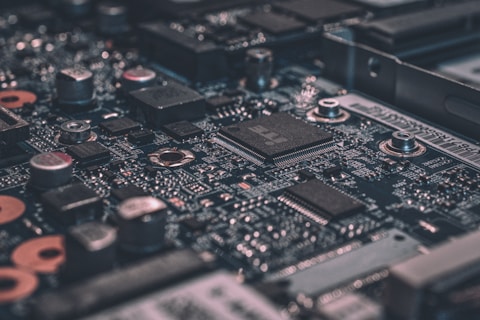
Coil whine on the Dell XPS 15 9530 — a high-pitched buzzing or whining sound from near the GPU or power delivery area — is a known issue on this model. It is caused by electromagnetic vibration in the inductors under high switching frequency. While not harmful to the hardware, it can be significantly reduced or eliminated with the fixes below.

Fix 1 — Update the BIOS
Dell has released BIOS updates for the XPS 15 9530 that adjust power delivery switching frequencies to reduce coil whine audibility. Visit Dell Support, find the XPS 15 9530, and install the latest BIOS update. This is the most reliable software fix reported by the XPS 15 community.
Fix 2 — Change power plan to Balanced
Go to Control Panel → Power Options and switch to Balanced if you are on Best Performance. The Balanced plan allows CPU and GPU frequencies to scale down during light load, which changes the switching frequency range and often moves the whine outside the audible range.
Fix 3 — Cap the frame rate in games
Open NVIDIA Control Panel → Manage 3D settings → Max Frame Rate and set it to 60 fps or the display refresh rate. Running games uncapped at very high frame rates (200-300 fps) places the GPU in a specific power draw state that maximizes coil whine. A frame cap significantly reduces the GPU switching frequency range.
Fix 4 — Try unplugging USB 3.0 devices
Some USB 3.0 peripherals introduce noise into the laptop power bus that interacts with the GPU voltage regulators and amplifies coil whine. Unplug all USB devices and see if the whine changes pitch or intensity. If so, try each device one at a time to identify the cause.

Fix 5 — Enable Quiet Mode in Dell Power Manager
Install Dell Power Manager from the Microsoft Store. Switch to Quiet or Ultra Performance thermal profile. Changing the thermal profile adjusts fan speed curves and power limits, which can shift the operating point of the voltage regulators enough to reduce audible whine.
Ahmad, Johor Bahru: “My XPS 15 9530 had a constant high-pitched whine near the power button area. Updating the BIOS and capping frames at 60 in NVIDIA Control Panel reduced the whine to barely audible levels.”
Frequently Asked Questions
Is coil whine harmful to the Dell XPS 15 9530?
No. Coil whine is a cosmetic annoyance, not a hardware defect. It does not damage any component and will not cause the laptop to fail. However, if it is loud enough to be distracting, the BIOS update and frame rate cap fixes above typically reduce it to acceptable levels.
Why does coil whine get louder in certain games or applications?
Coil whine intensity depends on GPU power draw and switching frequency. Games that push the GPU to high uncapped frame rates create the worst conditions for whine. Capping the frame rate or enabling V-Sync stabilizes the GPU power draw and typically reduces the whine significantly.
Can Dell replace the laptop for coil whine under warranty?
It depends on severity. Dell typically considers mild coil whine within normal manufacturing tolerance. Very loud or persistent whine that occurs even during light workloads may be considered a defect. Contact Dell Support with a recording of the whine to escalate the case.
Does the XPS 15 9530 coil whine get worse over time?
Not typically. Coil whine is usually consistent from day one and does not worsen significantly over the laptop lifetime. If the whine suddenly becomes much louder without any software changes, investigate whether a peripheral or power adapter change coincides with the increase.
Ryan holds a Computer Science degree and has over 20 years of hands-on experience with PC hardware, software, and driver troubleshooting. He is the author behind softwaredriverdownload.com, where he helps everyday users fix driver issues quickly and accurately. Ryan has personally tested most of the fixes on this site across a range of Windows 10 and Windows 11 machines.
Leave a Reply