Acer Predator Helios 16 RTX 4080 Undervolting Guide Windows 11
The RTX 4080 Laptop GPU on your Acer Predator Helios 16 runs hot and throttles during sustained gaming – temperatures hit 87-90 degrees and clocks drop from 2500MHz to 2200MHz. Undervolting the GPU reduces power consumption and heat at the same clock speed, eliminating thermal throttle and improving sustained performance.
This guide covers MSI Afterburner voltage curve undervolting, stability testing, and Predator Sense configuration for the RTX 4080 on Acer Predator Helios 16 in Windows 11.
“RTX 4080 in my Predator Helios 16 throttled in extended gaming sessions. Undervolted -75mV in Afterburner. Temperatures dropped 8 degrees and clocks held steady at 2500MHz the whole session.” – Wan, tech enthusiast from Kuala Lumpur
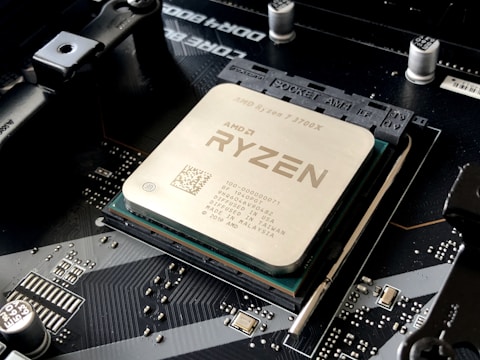
Why Undervolting RTX 4080 Helps on Acer Predator Helios 16
NVIDIA ships the RTX 4080 Laptop GPU with factory voltage settings that provide a safety margin for all silicon variants – some chips need more voltage, others less. Most RTX 4080 chips can maintain their rated boost clock at 50-100mV less than factory voltage. Lower voltage means less power draw, which means less heat. On the Predator Helios 16 where thermal headroom limits sustained clock speeds, reducing heat via undervolting allows the GPU to boost higher for longer periods.
- RTX 4080 power limit reached at high gaming load causing clock reduction
- GPU temperature above 85 degrees triggering thermal throttle
- Factory voltage set conservatively for all chip variants, leaving individual undervolt headroom
- Lower voltage from undervolt reduces power draw, which reduces thermals and enables sustained boost
Fix 1 – Undervolt Using MSI Afterburner Voltage Curve
Download and install MSI Afterburner. Set Predator Sense to Turbo mode first. Open Afterburner and press Ctrl + F to open the Voltage/Frequency Curve Editor. The curve shows voltage on X axis and frequency on Y axis. Find the rightmost active point (the highest frequency the GPU uses). Click it and drag it downward by 50mV while keeping the same frequency value. Click the check mark to apply. Close the editor and click Apply in Afterburner main window. The undervolt is now active.
Fix 2 – Stability Test After Undervolting
After applying a -50mV undervolt, run 3DMark Time Spy or Fire Strike Extreme for a full pass. Also run a game that previously caused thermal throttle for 20 minutes. Monitor GPU temperature and clock speed in HWiNFO64. If clocks stay at 2500MHz (or higher) and temperatures are 5-8 degrees lower than before, the undervolt is working. If the system crashes or shows artifacts, increase voltage by 25mV (reduce the undervolt) and test again.
Save MSI Afterburner Profile
After finding a stable undervolt, in MSI Afterburner save the profile by pressing the disk icon and selecting a profile slot (1-5). Click Windows startup in Afterburner settings to load the undervolt automatically. This ensures the undervolt applies every time Windows starts without manual reapplication.
Fix 3 – Combine Undervolt with Predator Sense Turbo Mode
Open Predator Sense and set performance mode to Turbo. Turbo mode sets the highest fan speed and maximum GPU TGP on the Helios 16. Combined with the -75mV undervolt, the GPU receives more power budget (since less power is wasted as heat at lower voltage) while fans can keep the lower heat output manageable. The result is higher sustained clock speeds than Turbo mode alone.
Fix 4 – Update NVIDIA Driver for Best Undervolt Compatibility
Download the latest NVIDIA Game Ready or Studio driver from nvidia.com/drivers or from Acer Support for Predator Helios 16. Driver version 546.33 and later have improved Ada Lovelace (RTX 40 series) voltage curve handling that makes undervolts more stable across resume from sleep and power state transitions on the Helios 16.
Frequently Asked Questions
How do I undervolt RTX 4080 on Acer Predator Helios 16?
MSI Afterburner – Ctrl+F – drag highest frequency point down by 50-75mV – Apply – run 3DMark for stability testing. Increase undervolt by 25mV at a time until stable.
Does undervolting RTX 4080 void warranty on Predator Helios 16?
No – software undervolting via MSI Afterburner is within normal use and does not void Acer warranty on Predator Helios 16.
How much can I undervolt RTX 4080 on Predator Helios 16?
Most chips are stable at -50 to -100mV. Start at -50mV and increase by 25mV steps until instability, then back off 25mV for margin.
What temperature does RTX 4080 run at on Predator Helios 16?
80-88 degrees at stock in Turbo mode. After -75mV undervolt, typically 72-80 degrees with equivalent or higher sustained clocks.
Conclusion
Undervolting the RTX 4080 on Acer Predator Helios 16 in Windows 11 via MSI Afterburner Voltage/Frequency Curve Editor reduces GPU temperatures by 6-10 degrees and eliminates thermal throttle, allowing sustained boost clocks during extended gaming. Start at -50mV, verify stability with 3DMark, and save the profile for automatic application at startup. Combining the undervolt with Predator Sense Turbo mode delivers the best sustained gaming performance on the Helios 16.
Ryan holds a Computer Science degree and has spent over 15 years troubleshooting Windows hardware and driver issues across major laptop brands. He writes practical, step-by-step guides for everyday users at softwaredriverdownload.com.
Leave a Reply