Acer Swift X 16 AMD RX 7600M XT Driver Not Installing Windows 11
The AMD Radeon RX 7600M XT installation fails on your Acer Swift X 16 AMD – the driver installer shows an error, or after installation the GPU shows Code 43 or is not detected in Device Manager. The standard AMD Adrenalin driver package from AMD.com may not include the correct device ID for the RX 7600M XT mobile variant.
This guide covers using the Acer-provided AMD driver package, DDU clean installation, and BIOS settings to get the RX 7600M XT working correctly on the Acer Swift X 16.
“Downloaded AMD Adrenalin from AMD.com but installation failed on my Swift X 16 AMD. Acer Support driver package installed without issues and the RX 7600M XT appeared in Device Manager.” – Fara, digital content creator from Johor
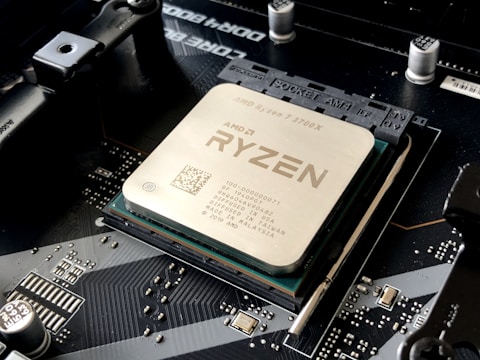
Why AMD RX 7600M XT Driver Fails on Acer Swift X 16
Mobile AMD GPU variants (RX 7600M XT vs desktop RX 7600) have slightly different device IDs and power management requirements. The standard AMD Adrenalin package from AMD.com targets desktop and some mobile variants but may not include the specific Acer Swift X 16 AMD tuned power tables and device IDs needed for correct mobile GPU initialization.
- Standard AMD Adrenalin package missing device ID for Acer Swift X 16 RX 7600M XT variant
- Driver installation shows error: This AMD driver is not compatible with this graphics hardware
- RX 7600M XT shows Code 43 after generic AMD driver installation
- SmartShift configuration missing from generic driver causing GPU power sharing issues
Fix 1 – Use Acer Support AMD Driver Package
Go to acer.com/support, search for Swift X 16 AMD, and under Drivers and Downloads select Windows 11 64-bit. Download the AMD Radeon Graphics driver from the list. This Acer-qualified package includes the Swift X 16 specific device IDs, SmartShift power tables, and AMD Advantage optimizations not in the generic AMD.com package.
Fix 2 – Clean Install with DDU in Safe Mode
If a previous failed installation left partial AMD driver files, boot to Safe Mode, run DDU to clean all AMD GPU drivers, restart normally, and install the Acer-provided AMD driver. DDU removes residual registry keys and driver files that cause subsequent driver installations to fail with compatibility errors.
Verify SmartShift After Installation
After successful driver installation, open AMD Adrenalin Software (installed alongside the driver) and check System – Software. If SmartShift is listed under features, the AMD Advantage configuration is active. SmartShift should appear in the Performance section showing dynamic power allocation between CPU and GPU during gaming.

Fix 3 – Check BIOS GPU Settings
Restart and press F2 to enter BIOS. Look for settings related to AMD SmartShift or iGPU configuration. Ensure Discrete GPU is enabled and not set to iGPU only. Some Acer Swift X 16 BIOS versions have an Optimus-equivalent setting that must be set to Discrete GPU or Auto for the RX 7600M XT to be detected correctly.
Fix 4 – Update BIOS via Acer Care Center
Open Acer Care Center and check for BIOS updates. BIOS version 1.09 and later for the Swift X 16 AMD include improved AMD driver compatibility for the RX 7600M XT, preventing Code 43 errors after Windows 11 feature updates.
Frequently Asked Questions
Why does AMD RX 7600M XT driver fail to install on Acer Swift X 16?
The generic AMD Adrenalin package from AMD.com may not have the correct device ID for the Swift X 16 mobile variant. Use the Acer-provided AMD driver from Acer Support.
How do I install AMD RX 7600M XT driver on Acer Swift X 16?
Run DDU in Safe Mode to clean all AMD drivers, then install the AMD Radeon driver from Acer Support specifically for Swift X 16 AMD.
What AMD GPU does Acer Swift X 16 have?
AMD Radeon RX 7600M XT with Radeon 780M integrated graphics, AMD Advantage configuration with SmartShift.
Does Acer Swift X 16 support AMD SmartShift?
Yes – AMD Advantage with SmartShift for dynamic CPU-GPU power sharing. SmartShift only works with the Acer-qualified AMD driver package.
Conclusion
AMD RX 7600M XT driver not installing on Acer Swift X 16 in Windows 11 is caused by using the generic AMD.com driver package instead of the Acer-specific version. Download the Acer-qualified AMD Radeon driver from Acer Support, use DDU in Safe Mode for a clean install, and verify SmartShift is active in AMD Adrenalin Software after installation.
Ryan holds a Computer Science degree and has spent over 15 years troubleshooting Windows hardware and driver issues across major laptop brands. He writes practical, step-by-step guides for everyday users at softwaredriverdownload.com.
Leave a Reply