The NVIDIA RTX 4070 in your ASUS ROG Strix G17 AMD Ryzen 9 7945HX is delivering lower frame rates than expected – benchmarks and games run significantly below the RTX 4070 performance tier. Armoury Crate performance mode and MUX switch configuration determine how much of the RTX 4070 TGP is available for gaming on the ROG Strix G17.
This guide covers Armoury Crate mode selection, MUX switch configuration, and NVIDIA driver updates to maximize RTX 4070 performance on the ASUS ROG Strix G17 AMD Ryzen 9 7945HX in Windows 11.
“ROG Strix G17 RTX 4070 scores much lower in benchmarks than expected. Armoury Crate was in Balanced mode. Switched to Turbo and enabled GPU Only MUX mode. Benchmark score jumped 25 percent to expected RTX 4070 level.” – Ashraf, hardware reviewer from KL
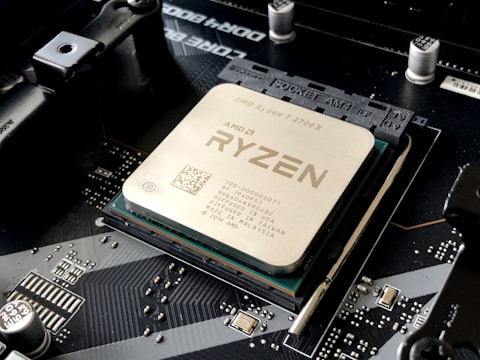
Why RTX 4070 Underperforms on ASUS ROG Strix G17 AMD
The ASUS ROG Strix G17 AMD RTX 4070 operates at 140W TGP in Turbo mode, but in Balanced mode TGP is limited to approximately 80-100W to reduce fan noise and heat output. This TGP difference results in 20-30 percent lower gaming performance compared to Turbo mode at the same GPU load. Additionally, in Optimus hybrid mode, AMD Radeon iGPU processes all display output before the RTX 4070 frame reaches the screen, consuming PCIe bandwidth that reduces effective GPU throughput.
- Armoury Crate in Balanced or Silent mode capping RTX 4070 TGP below 140W maximum
- MUX switch in Optimus mode – AMD iGPU processing display frames reduces effective RTX 4070 throughput
- NVIDIA driver outdated or missing Strix G17 power profile tables
- Game not assigned to NVIDIA RTX 4070 in NVIDIA Control Panel – running on AMD iGPU
Fix 1 – Switch to Turbo Mode in Armoury Crate
Open ASUS Armoury Crate. Go to System – Scenario Profile and select Turbo mode. Turbo mode unlocks the RTX 4070 to its full 140W TGP on the ROG Strix G17 AMD and also allows the Ryzen 9 7945HX to operate at higher boost frequencies simultaneously. Fan noise increases in Turbo mode as the triple-fan cooler runs at higher speeds, but gaming performance matches the RTX 4070 reference performance tier expected for this GPU class.
Fix 2 – Enable GPU Only (MUX) Mode
In Armoury Crate, find GPU Mode or MUX switch setting. Switch from Optimus to GPU Only or iGPU Off. GPU Only mode enables the hardware MUX switch in the ROG Strix G17, routing the display directly from the RTX 4070 to the 17-inch 240Hz panel without AMD iGPU processing. This eliminates the 10-15 percent performance overhead of Optimus and reduces display latency. A restart is required after switching GPU mode. Test with GPU-Z to confirm RTX 4070 is listed as the primary display adapter after restart.
Assign Games to NVIDIA GPU in NVIDIA Control Panel
Open NVIDIA Control Panel – Manage 3D settings – Program Settings. For any game showing unexpected low performance, add it to the program list and set Preferred graphics processor to High-performance NVIDIA processor. On AMD Advantage platforms like the ROG Strix G17, some games auto-select AMD iGPU for power saving when not explicitly forced to NVIDIA. Assigning games to NVIDIA ensures the RTX 4070 renders all frames regardless of Optimus mode.

Fix 3 – Update NVIDIA Driver via Armoury Crate
In Armoury Crate, go to the update section and check for NVIDIA GPU driver updates. ASUS-qualified NVIDIA drivers for the ROG Strix G17 AMD include the 140W TGP power table and AMD Advantage platform coexistence optimizations. Updated drivers also improve DLSS 3 Frame Generation efficiency on the RTX 4070 Ada Lovelace architecture. Install and restart before retesting performance in games and benchmarks.
Fix 4 – Monitor GPU Clocks and TGP During Gaming
Download HWiNFO64 and monitor RTX 4070 GPU clock, GPU power (TGP in watts), and GPU temperature during a gaming session. If GPU power shows consistently below 120W and GPU clock is throttled below 1800MHz despite not being at temperature limit, a power limit or TGP setting in Armoury Crate or NVIDIA profiles is restricting output. Confirm Turbo mode is active and GPU Only mode enabled for full 140W TGP utilization on the ROG Strix G17 RTX 4070.
Frequently Asked Questions
Why is the RTX 4070 underperforming on ASUS ROG Strix G17 AMD Ryzen 9 7945HX?
Armoury Crate in Balanced mode limiting TGP to 80-100W, or Optimus mode overhead. Switch to Turbo mode and GPU Only MUX mode in Armoury Crate.
How do I maximize RTX 4070 performance on ASUS ROG Strix G17?
Armoury Crate Turbo mode, GPU Only MUX switch, NVIDIA driver update via Armoury Crate, NVIDIA Control Panel game assignment to RTX 4070.
What is the RTX 4070 TGP on ASUS ROG Strix G17 AMD Ryzen 9?
140W in Turbo mode. Higher than standard RTX 4070 laptop due to ROG Strix G17 triple-fan cooling capacity.
Does ASUS ROG Strix G17 AMD have MUX switch?
Yes – AMD Advantage MUX in Armoury Crate as GPU Only mode. Direct GPU-to-display output bypassing AMD iGPU for 10-15 percent performance improvement.
Conclusion
ASUS ROG Strix G17 AMD Ryzen 9 7945HX RTX 4070 underperforming in Windows 11 is resolved by switching Armoury Crate to Turbo mode for full 140W TGP and enabling GPU Only MUX mode for direct RTX 4070 display output. NVIDIA driver update via Armoury Crate ensures RTX 4070 power profiles are correctly applied. NVIDIA Control Panel game assignment prevents GPU auto-selection choosing AMD iGPU for games that support NVIDIA features. HWiNFO64 monitoring confirms full TGP utilization during gaming on the ROG Strix G17.
Ryan holds a Computer Science degree and has spent over 15 years troubleshooting Windows hardware and driver issues across major laptop brands. He writes practical, step-by-step guides for everyday users at softwaredriverdownload.com.
Leave a Reply