ASUS ROG Zephyrus G14 AMD Radeon RX 7600S Driver Error Windows 11
Your ASUS ROG Zephyrus G14 shows AMD display driver stopped responding and has recovered errors during gaming, or the Radeon RX 7600S shows Code 43 in Device Manager after a Windows 11 update. Games crash to desktop with a TDR (Timeout Detection and Recovery) error.
This guide covers DDU clean driver reinstallation, AMD software settings, and SmartShift configuration to resolve Radeon RX 7600S driver errors on the Zephyrus G14.
“Got AMD driver timeout errors after a Windows 11 update on my Zephyrus G14. Games would crash after 10-15 minutes. Clean driver install with DDU solved it completely.” – Hamizan, CS student from UPM
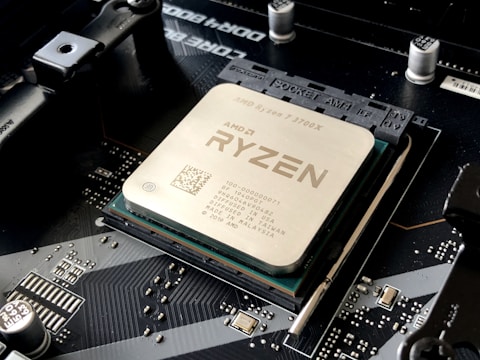
Why AMD Radeon RX 7600S Shows Driver Errors on Zephyrus G14
The Zephyrus G14 pairs an AMD Ryzen processor with Radeon 780M integrated graphics and the Radeon RX 7600S discrete GPU. When a Windows 11 update replaces AMD drivers, the dual-GPU configuration can cause driver conflicts where both GPUs fight for display output control, triggering TDR errors. Driver corruption from incomplete updates also causes Code 43.
- AMD driver conflict between Radeon 780M iGPU and RX 7600S dGPU
- TDR error: Display driver stopped responding after Windows 11 feature update
- Radeon RX 7600S shows Code 43 in Device Manager after Windows Update
- Black screen during gaming followed by crash to desktop
Fix 1 – Clean Reinstall with DDU in Safe Mode
Download Display Driver Uninstaller (DDU). Boot to Safe Mode (hold Shift while clicking Restart). Run DDU, select GPU and AMD, click Clean and restart. After normal boot, download and install the latest AMD Adrenalin Software from amd.com/support. Choose the recommended driver for Radeon RX 7600S on Windows 11.
Fix 2 – Disable TDR via Registry
If TDR errors occur frequently even with updated drivers, open Registry Editor and navigate to HKEY_LOCAL_MACHINE\SYSTEM\CurrentControlSet\Control\GraphicsDrivers. Add a DWORD value named TdrDelay and set it to 8 (decimal). This extends the timeout from 2 seconds to 8 seconds, giving the GPU more time to recover from load spikes without triggering TDR.
Fix 3 – Update via Armoury Crate
Open ASUS Armoury Crate and go to Update Center. Check for GPU driver and Armoury Crate software updates. ASUS releases customized AMD driver packages for the Zephyrus G14 that include SmartShift optimization not in the standard AMD package. These are often more stable on this specific hardware.

Fix 4 – Set SmartShift Mode in Armoury Crate
Open Armoury Crate, go to System Info – GPU, and check the SmartShift setting. SmartShift dynamically shifts power between the CPU and GPU based on workload. If it is malfunctioning, set the GPU mode manually to dGPU mode to prevent GPU switching during gaming, which eliminates driver handoff errors.
Frequently Asked Questions
Why is AMD Radeon RX 7600S showing a driver error on Zephyrus G14?
A driver conflict between the Radeon 780M iGPU and RX 7600S dGPU after a Windows 11 update. DDU clean reinstall resolves the conflict.
How do I reinstall AMD Radeon RX 7600S driver on Zephyrus G14?
Boot to Safe Mode, run DDU to remove all AMD GPU drivers, restart normally, and install from AMD.com or via Armoury Crate.
What causes AMD Radeon driver timeout on Zephyrus G14?
Driver conflicts, overheating, or incompatible driver versions trigger TDR errors. Clean reinstall and TdrDelay registry adjustment fix most cases.
Does Zephyrus G14 have AMD Advantage?
Yes – it is AMD Advantage with Ryzen CPU and Radeon RX 7600S GPU, using SmartShift for optimized power sharing between CPU and GPU.
Conclusion
AMD Radeon RX 7600S driver errors on ASUS ROG Zephyrus G14 in Windows 11 are resolved by DDU clean reinstallation of AMD drivers in Safe Mode, followed by installing the latest AMD Adrenalin or ASUS-provided driver via Armoury Crate. The TdrDelay registry fix helps with intermittent TDR errors during gaming. SmartShift mode adjustment via Armoury Crate eliminates GPU switching-related crashes.
Ryan holds a Computer Science degree and has spent over 15 years troubleshooting Windows hardware and driver issues across major laptop brands. He writes practical, step-by-step guides for everyday users at softwaredriverdownload.com.
Leave a Reply