HP Victus 16 AMD Radeon RX 7700S Driver Crash Windows 11
Your HP Victus 16 AMD shows AMD display driver stopped responding errors during gaming, or games crash to desktop with a black screen recovery. The Radeon RX 7700S may show Code 43 in Device Manager after a Windows 11 update. Frame rates drop and the system becomes unstable during graphic-intensive sessions.
This guide covers DDU clean reinstallation of AMD drivers, power settings, and HP BIOS update steps to stop Radeon RX 7700S crashes on the HP Victus 16.
“My HP Victus 16 AMD crashed to desktop in every game after a Windows update. AMD driver stopped responding appeared each time. DDU + fresh AMD driver install fixed all crashes.” – Firdaus, gaming enthusiast from Selangor
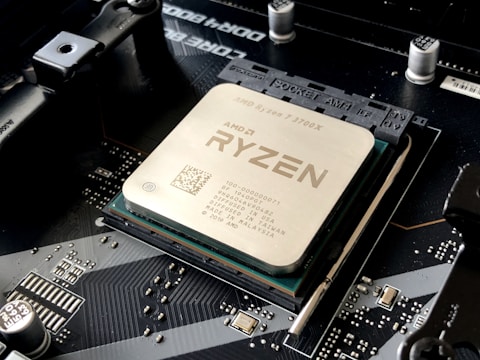
Why AMD Radeon RX 7700S Crashes on HP Victus 16
The HP Victus 16 AMD combines a Ryzen 7 processor with integrated Radeon 780M and discrete Radeon RX 7700S. Windows 11 updates can leave both GPUs with conflicting driver versions, causing the GPU switching logic to fail and trigger TDR (Timeout Detection and Recovery) events during gaming. Leftover driver files from partial updates also cause instability.
- AMD driver conflict between Radeon 780M iGPU and RX 7700S dGPU after Windows 11 update
- TDR error: AMD display driver stopped responding and has recovered
- Partial driver update leaves corrupted files causing crash on GPU-intensive scenes
- HP BIOS not updated – BIOS version 1.02 and earlier have GPU switching bugs
Fix 1 – Clean Reinstall AMD Driver with DDU
Download Display Driver Uninstaller (DDU). Boot to Safe Mode (Shift + Restart – Troubleshoot – Advanced – Startup Settings – F4). Run DDU, select GPU and AMD, click Clean and restart. After normal boot, download and install the latest AMD Adrenalin Software from amd.com/support.
Fix 2 – Update HP BIOS
Go to support.hp.com, search for HP Victus 16 AMD, and check for BIOS updates. BIOS version 1.04 and later for the Victus 16 AMD includes improved AMD SmartShift and GPU power management that prevents driver-level crashes caused by incorrect power allocation during GPU handoff.
AMD ULPS Disable Registry Fix
AMD Ultra Low Power State (ULPS) can cause GPU crashes during wake or activity spikes. Open Registry Editor and navigate to HKEY_LOCAL_MACHINE\SYSTEM\CurrentControlSet\Control\Class\{4d36e968-e325-11ce-bfc1-08002be10318}. In subkeys for AMD GPUs, add EnableUlps DWORD value set to 0. This disables ULPS and prevents the discrete GPU from entering power states that cause driver recovery events.

Fix 3 – Extend TDR Timeout in Registry
Navigate to HKEY_LOCAL_MACHINE\SYSTEM\CurrentControlSet\Control\GraphicsDrivers and add TdrDelay DWORD value set to 8. This extends the GPU timeout from 2 to 8 seconds, allowing the RX 7700S to recover from load spikes without triggering a full TDR event that crashes the game.
Fix 4 – Set GPU Power Mode in AMD Software
Open AMD Adrenalin Software, go to Performance – Tuning, and set Power tuning to Quiet or Balanced. Sometimes the Rage mode or Overclock preset pushes the RX 7700S beyond stable limits in the HP Victus 16 chassis. Balanced mode maintains stability within the laptop thermal envelope.
Frequently Asked Questions
Why does AMD Radeon RX 7700S keep crashing on HP Victus 16?
Driver conflicts between Radeon 780M iGPU and RX 7700S dGPU cause TDR errors. DDU clean reinstall resolves the conflict.
How do I fix AMD Radeon driver crash on HP Victus 16?
Use DDU in Safe Mode to clean all AMD drivers, reinstall AMD Adrenalin from AMD.com, and update HP BIOS from HP Support.
What AMD GPU does HP Victus 16 have?
AMD Radeon RX 7700S discrete GPU with Radeon 780M integrated graphics in an AMD Advantage configuration.
Does HP Victus 16 support AMD SmartShift?
Yes – SmartShift dynamically shifts power between the Ryzen CPU and Radeon RX 7700S for optimized gaming performance.
Conclusion
AMD Radeon RX 7700S driver crashes on HP Victus 16 in Windows 11 are resolved by DDU clean reinstallation of AMD drivers, updating HP BIOS, and disabling ULPS via the registry. The TdrDelay registry fix prevents intermittent TDR events during gaming. Keep AMD Adrenalin Software updated for the latest stability fixes for this GPU configuration.
Ryan holds a Computer Science degree and has spent over 15 years troubleshooting Windows hardware and driver issues across major laptop brands. He writes practical, step-by-step guides for everyday users at softwaredriverdownload.com.
Leave a Reply