Your Lenovo IdeaPad Gaming 3 Gen 7 AMD Ryzen 5 6600H has sudden FPS drops during gaming – frame rate falls from 60+ FPS to 20-30 FPS unpredictably, games stutter during GPU-intensive scenes, or performance is significantly lower than expected for the AMD Radeon RX 6500M. Power plan settings and GPU driver updates restore consistent gaming performance on the IdeaPad Gaming 3 Gen 7 AMD.
This guide covers Windows power plan, Lenovo Vantage performance mode, AMD Radeon driver updates, and thermal management for the Lenovo IdeaPad Gaming 3 Gen 7 AMD Ryzen 5 6600H in Windows 11.
“IdeaPad Gaming 3 Gen 7 AMD had massive FPS drops every few minutes. Found it was unplugged and running on battery – switched to Performance mode drops instantly when battery power is too low. Plugged in and set Lenovo Vantage to Performance mode. Stable FPS after that.” – Hafizudin, DOTA 2 player from Ampang
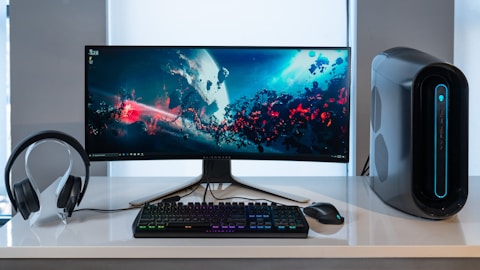
Why IdeaPad Gaming 3 Gen 7 AMD Has FPS Drops
Lenovo IdeaPad Gaming 3 Gen 7 AMD enforces significant GPU performance limits when running on battery power – the AMD Radeon RX 6500M maximum GPU power (TGP) is reduced from 50-65W on AC to 35-45W on battery, causing a 30-40 percent reduction in GPU frame rate capability. The Balanced power plan in Windows limits AMD Ryzen 5 6600H processor frequency below maximum boost speed, causing CPU-bound game scenarios to stutter. Thermal throttle from dust-blocked vents is another common cause of sudden FPS drops that occur after 10-15 minutes of gaming as the GPU temperature reaches throttle threshold and frequency is reduced to prevent overheating.
- Gaming on battery power – AMD RX 6500M TGP reduced 30-40 percent versus AC power
- Balanced power plan limiting AMD Ryzen 5 6600H below maximum boost clocks
- GPU thermal throttle after sustained gaming causing AMD RX 6500M frequency reduction
- AMD Radeon driver outdated – frame pacing and RX 6500M power management not optimized
Fix 1 – Plug In and Set Performance Mode
Ensure the AC adapter is connected. Open Lenovo Vantage – Power – Power mode and select Performance. In Windows Settings – Power – Power mode, select Best performance. Both settings together allow the AMD Ryzen 5 6600H to run at full boost speeds and permit the AMD Radeon RX 6500M to operate at its maximum TGP on AC power. After setting both to Performance mode, launch the game that was experiencing FPS drops and compare frame rates. Consistent FPS without sudden drops confirms battery power or Balanced mode was limiting GPU and CPU performance. Gaming on AC power with Performance mode is the baseline configuration for full Lenovo IdeaPad Gaming 3 Gen 7 AMD gaming performance.
Fix 2 – Update AMD Radeon RX 6500M Driver
Open AMD Radeon Software (right-click desktop – AMD Radeon Software). Go to Drivers and click Check for updates. Install the latest Adrenalin Edition driver. Alternatively, go to amd.com/support and download the latest Radeon RX 6000M Series driver. Install and restart. Updated AMD Radeon drivers for the RX 6500M include improved RDNA 2 power management algorithms that reduce frame time variance (stutter) during GPU load transitions between scenes with different rendering complexity. AMD game-specific driver optimizations in new Adrenalin versions also reduce FPS drops in specific game titles that had known frame pacing issues with older driver versions on the Lenovo IdeaPad Gaming 3 Gen 7 AMD.
Clean GPU Heatsink Vents
Power off the IdeaPad Gaming 3 Gen 7 AMD. Use compressed air to blow through the exhaust vents on the rear and sides of the laptop in short bursts. After cleaning, start the laptop and monitor AMD Radeon RX 6500M temperature in AMD Radeon Software – Performance – Metrics while gaming. AMD RX 6500M temperature above 85 degrees Celsius during gaming may trigger thermal throttle, reducing GPU clock frequency mid-game and causing sudden FPS drops. Post-cleaning temperatures should drop 5-15 degrees Celsius if significant dust was present, restoring stable full-speed GPU operation for consistent gaming frame rates on the IdeaPad Gaming 3 Gen 7 AMD.

Fix 3 – Enable AMD FSR for Higher FPS
In AMD Radeon Software – Games, select the game with FPS drops. Enable AMD FidelityFX Super Resolution (FSR) if the game supports it in its graphics settings. FSR upscales from a lower resolution to display resolution with minimal visual quality loss, significantly increasing average FPS and reducing GPU load that causes thermal throttle. For games without native FSR support, AMD Radeon Software offers Radeon Super Resolution (RSR) as a driver-level FSR that works with most games. Enabling FSR Quality or Balanced preset on the IdeaPad Gaming 3 Gen 7 AMD typically adds 30-50 percent average FPS while reducing peak GPU temperatures by 3-8 degrees Celsius due to lower rendering load.
Fix 4 – Disable Windows Game Bar and Background Apps
Press Windows+G to open Game Bar. Go to Settings (gear icon) – General and disable Open Xbox Game Bar using this button on the controller. Also open Settings – Gaming – Game Mode and ensure Game Mode is On. In Settings – Apps – Startup apps, disable background applications that run during gaming (Discord, Spotify, cloud backup). Background applications consume CPU and RAM resources that compete with game rendering, causing occasional frame time spikes that appear as stuttering even when average FPS is acceptable. Game Mode in Windows 11 prioritizes the foreground game process for CPU scheduling, which reduces micro-stutter from background service interruptions on the Lenovo IdeaPad Gaming 3 Gen 7 AMD.
Frequently Asked Questions
How do I fix FPS drops on Lenovo IdeaPad Gaming 3 Gen 7 AMD Ryzen 5 6600H?
Plug in AC adapter, Lenovo Vantage Performance mode, Windows Best Performance power mode, AMD Radeon driver update, vent cleaning for thermal throttle. FSR enable for GPU load reduction.
Why does Lenovo IdeaPad Gaming 3 Gen 7 AMD stutter in games?
Battery mode reducing RX 6500M TGP (most common), Balanced power plan, or GPU thermal throttle from vent dust. AC power + Performance mode resolves majority of FPS drop cases.
What is the GPU in Lenovo IdeaPad Gaming 3 Gen 7 AMD Ryzen 5 6600H?
AMD Radeon RX 6500M (4GB GDDR6) discrete GPU with 50-65W TGP on AC. RDNA 2 architecture supporting FSR 2.0 and Radeon Image Sharpening.
Should I use AMD Radeon or Lenovo Vantage for GPU settings on IdeaPad Gaming 3?
Both complementary: Lenovo Vantage for system TDP and fan profile. AMD Radeon Software for game graphics quality, FSR, and per-game GPU settings.
Conclusion
Lenovo IdeaPad Gaming 3 Gen 7 AMD Ryzen 5 6600H FPS drops in Windows 11 are resolved primarily by plugging in the AC adapter (battery mode reduces RX 6500M TGP 30-40 percent) and setting Lenovo Vantage to Performance mode for full CPU and GPU power budgets. AMD Radeon RX 6500M driver update from AMD Software improves frame pacing and RDNA 2 power management for consistent gaming FPS. Compressed air vent cleaning prevents GPU thermal throttle from sustained gaming workloads. AMD FSR enable in supported games reduces GPU rendering load to maintain target FPS within thermal and TGP limits on the IdeaPad Gaming 3 Gen 7 AMD platform.
Ryan holds a Computer Science degree and has spent over 15 years troubleshooting Windows hardware and driver issues across major laptop brands. He writes practical, step-by-step guides for everyday users at softwaredriverdownload.com.
Leave a Reply