Lenovo IdeaPad Pro 5i Gen 9 Intel Arc GPU Stutter Windows 11
Games on your Lenovo IdeaPad Pro 5i Gen 9 stutter during the first few minutes of play – frame rate drops sharply for 1-2 seconds every time a new area loads or a new shader effect appears. This is Intel Arc shader compilation stutter, a known characteristic that improves with driver updates and specific settings.
This guide covers Intel Arc driver updates, ReBAR enabling, and HAGS configuration to minimize GPU stutter on the IdeaPad Pro 5i Gen 9 in Windows 11.
“IdeaPad Pro 5i Gen 9 Arc GPU stuttered badly every time I entered a new area in Elden Ring. Updated the Arc driver and enabled ReBAR in BIOS. Stutter reduced dramatically after the first 10 minutes.” – Ikmal, RPG gamer from Kelantan
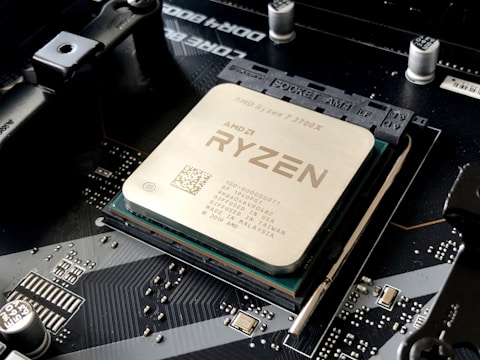
Why Intel Arc Stutters on IdeaPad Pro 5i Gen 9
Intel Arc uses DirectX 12 shader compilation to build its shader cache during the first run of each game. When a new shader needs to be compiled (typically during level transitions or new effects appearing), the Arc GPU pauses to compile the shader before rendering the frame, causing a brief stutter. Later Arc driver versions include pre-compiled shader libraries and improved pipeline caching that significantly reduce first-run stutter.
- Intel Arc shader compilation stutter during first run of DX12 or Vulkan games
- Arc driver version below 31.0.101.5084 with suboptimal pipeline caching
- ReBAR (Resizable BAR) disabled in BIOS reducing GPU memory access efficiency
- Hardware-accelerated GPU Scheduling disabled increasing CPU-to-GPU command latency
Fix 1 – Update Intel Arc Driver via Lenovo Vantage
Open Lenovo Vantage, go to Device – System Update, and check for Intel Graphics or Intel Arc driver updates. Install and restart. Driver versions 31.0.101.5084 and later include substantially improved DX12 pipeline state object caching that reduces or eliminates shader compilation stutter in games that were previously problematic on Intel Arc integrated graphics in Core Ultra processors.
Fix 2 – Enable Resizable BAR in BIOS
Restart and press F2 for Lenovo BIOS Setup on IdeaPad Pro 5i Gen 9. Navigate to Configuration – PCI Express settings. Enable Resizable BAR or Above 4G Decoding. Resizable BAR allows the CPU to access the full Arc GPU frame buffer directly, improving texture streaming performance and reducing the memory bandwidth contention that contributes to stutter in open-world games. Restart after enabling.
Enable HAGS in Windows 11
Go to Settings – System – Display – Graphics – Change default graphics settings. Enable Hardware-accelerated GPU Scheduling. HAGS on Intel Arc removes a CPU bottleneck in GPU command submission for DX12 games, reducing the frames-per-second variance that makes stutter more noticeable. Combined with an updated Arc driver, HAGS improves minimum frame time consistency.

Fix 3 – Pre-Run Games in DX11 Mode First
For games that support both DX11 and DX12 mode (like Cyberpunk 2077 via command line), run the first session in DX11 mode to build the shader cache without stutter, then switch to DX12. The DX11 session populates asset caches that DX12 mode can partially reuse, reducing the number of new shaders that need compilation in the first DX12 session.
Fix 4 – Configure Intel Arc Control for Gaming
Open Intel Arc Control, go to Gaming – Performance Profiles. Set the global profile to Maximum. Under Graphics Settings, enable Adaptive Sync if the IdeaPad Pro 5i Gen 9 display supports it. Adaptive Sync on Intel Arc reduces the visual impact of frame time variance from shader compilation stutter by smoothing frame delivery during the brief compilation pauses.
Frequently Asked Questions
Why does Intel Arc GPU stutter on Lenovo IdeaPad Pro 5i Gen 9?
Shader compilation stutter during first run of DX12 games. Update Arc driver via Lenovo Vantage and enable ReBAR in BIOS to reduce stutter severity and frequency.
How do I fix Intel Arc stutter on IdeaPad Pro 5i Gen 9?
Update Arc driver via Lenovo Vantage, enable HAGS in Display settings, and enable Resizable BAR in BIOS. These three changes together minimize shader compilation stutter.
Does Intel Arc support DirectX 12 on IdeaPad Pro 5i Gen 9?
Yes – Intel Arc supports DX12 Ultimate, Vulkan, and OpenGL. Performance is optimized for DX12 with driver 31.0.101.5084 or later.
What Intel Arc GPU does Lenovo IdeaPad Pro 5i Gen 9 have?
Intel Arc integrated graphics in Core Ultra 7 or Core Ultra 9 processor – Arc 8 or Arc 16 Xe cores depending on configuration.
Conclusion
Intel Arc GPU stutter on Lenovo IdeaPad Pro 5i Gen 9 in Windows 11 is primarily shader compilation stutter inherent to Intel Arc early driver versions. Updating the Arc driver via Lenovo Vantage, enabling ReBAR in BIOS, and enabling HAGS in Windows 11 substantially reduce stutter frequency and severity. Stutter typically diminishes naturally after the first few hours as the shader cache is populated for commonly encountered game shaders.
Ryan holds a Computer Science degree and has spent over 15 years troubleshooting Windows hardware and driver issues across major laptop brands. He writes practical, step-by-step guides for everyday users at softwaredriverdownload.com.
Leave a Reply