The RTX 4090 on your Lenovo Legion 7i Gen 9 runs at high temperatures during gaming – temperatures reach 85-90 degrees sustained and clock speeds begin dropping after extended sessions. The Legion 7i Gen 9 vapor chamber and triple-fan system is capable of handling the RTX 4090 at full TGP with correct performance mode and airflow settings.
This guide covers Lenovo Vantage mode settings, MSI Afterburner undervolting, and cooling maintenance for optimal RTX 4090 temperatures on the Lenovo Legion 7i Gen 9 in Windows 11.
“Legion 7i Gen 9 RTX 4090 hit 89 degrees in Cyberpunk at 1440p max. Switched to Extreme mode and undervolted -50mV. Temps settled at 81 degrees with the same performance.” – Farouq, high-end gamer from KL
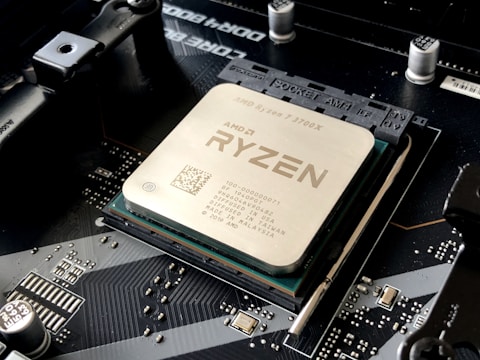
Why RTX 4090 Runs Hot on Lenovo Legion 7i Gen 9
The RTX 4090 Laptop GPU on Lenovo Legion 7i Gen 9 has a 175W TGP in Extreme Performance mode – significantly more heat than the dual or triple-fan systems of other RTX gaming laptops. The vapor chamber distributes this heat effectively but room temperature, performance mode selection, and fan cleanliness all affect the maximum sustained temperature achievable under full RTX 4090 load.
- Lenovo Vantage Performance mode instead of Extreme Performance limiting fan speed
- Laptop placed on desk without elevation reducing intake airflow from bottom vents
- Room temperature above 30 degrees increasing the thermal baseline for all cooling
- MSI Afterburner not applied – RTX 4090 running at factory voltage with undervolting headroom
Fix 1 – Enable Extreme Performance Mode in Lenovo Vantage
Open Lenovo Vantage and go to Device – Power – Performance Mode. Select Extreme Performance. This mode enables the Legion 7i Gen 9 triple-fan system at maximum speed and removes the CPU power limit. With full fan speed, RTX 4090 temperatures typically drop 5-8 degrees compared to the standard Performance mode. Press Fn + Q to cycle through modes – a notification confirms the active mode change.
Fix 2 – Undervolt RTX 4090 with MSI Afterburner
Download and install MSI Afterburner. Press Ctrl + F to open the voltage-frequency curve. Identify the highest frequency plateau used by the RTX 4090 (typically around 2400-2600MHz) and reduce its voltage by 50-75mV by dragging the curve point downward while keeping the same frequency. Apply the curve. A -50mV undervolt on the RTX 4090 in the Legion 7i Gen 9 reduces temperature by 5-8 degrees without performance loss, since the GPU achieves the same frequency at lower voltage.
Elevate Laptop for Better Airflow
Use a laptop stand or a small wedge to elevate the rear of the Lenovo Legion 7i Gen 9 by 2-3cm. The bottom vents draw the majority of intake air. Elevating the rear increases the gap between the bottom intake and the desk surface, reducing airflow restriction. This simple change can reduce RTX 4090 temperature by 3-5 degrees during sustained gaming without any software changes.
Fix 3 – Clean Cooling System with Compressed Air
Power off the Legion 7i Gen 9. Use compressed air through all six vents (two rear, two side, two bottom exhaust). On the Legion 7i Gen 9, dust accumulates primarily at the three fan hubs and at the vapor chamber fin stack exits. Cleaning the system typically reduces operating temperature by 5-10 degrees for units that have accumulated significant dust. For thorough cleaning, the bottom panel can be removed for direct access to all three fans.
Fix 4 – Enable Lenovo Vantage Hybrid Mode for Normal Use
For non-gaming use, switch Lenovo Vantage to Balanced mode and disable Hybrid Overclock if enabled. Running Extreme Performance mode at all times keeps the RTX 4090 at elevated power draw even during desktop use, generating unnecessary heat. Use Balanced for productivity and switch to Extreme Performance only when starting intensive gaming sessions. Lenovo Vantage mode can also be toggled quickly with Fn + Q without opening the app.
Frequently Asked Questions
What temperature is normal for RTX 4090 on Lenovo Legion 7i Gen 9?
75-85 degrees in Extreme Performance mode during sustained gaming. Above 90 degrees indicates cooling issue. Clean vents and apply undervolt to reduce baseline.
How do I reduce RTX 4090 temperature on Lenovo Legion 7i Gen 9?
Extreme Performance mode in Lenovo Vantage, -50 to -75mV undervolt in MSI Afterburner, laptop elevation, and compressed air cleaning of all vents.
Does Lenovo Legion 7i Gen 9 have vapor chamber cooling?
Yes – large vapor chamber shared between Core i9 CPU and RTX 4090 GPU. Heat spreads to all three fans for maximum sustained performance capability.
What TGP does RTX 4090 have on Lenovo Legion 7i Gen 9?
Up to 175W in Extreme Performance on AC. Approximately 115W in Balanced. AC power and Extreme mode required for maximum gaming output.
Conclusion
Lenovo Legion 7i Gen 9 RTX 4090 high temperatures in Windows 11 are reduced by enabling Extreme Performance mode in Lenovo Vantage for maximum fan speed, applying a -50 to -75mV undervolt in MSI Afterburner, and elevating the laptop rear for improved intake airflow. Regular compressed air cleaning maintains the vapor chamber cooling efficiency. Together these steps reduce sustained RTX 4090 temperatures from 88-90 degrees to 78-83 degrees for consistent high-performance gaming.
Ryan holds a Computer Science degree and has spent over 15 years troubleshooting Windows hardware and driver issues across major laptop brands. He writes practical, step-by-step guides for everyday users at softwaredriverdownload.com.
Leave a Reply