Lenovo Legion Pro 5 Gen 8 AMD Ryzen 9 7945HX FPS Drops Fix Windows 11

Lenovo Legion Pro 5 Gen 8 — FPS Drops Fix

Why FPS drops

Lenovo Vantage performance mode set to Quiet or Balanced, throttling the GPU power limit below the gaming threshold

Laptop running on USB-C charging instead of the 300W barrel connector, limiting total system power draw

CPU or GPU thermal throttling from blocked vents or high ambient temperature in the room

NVIDIA driver power management bug limiting GPU boost clocks during sustained workloads
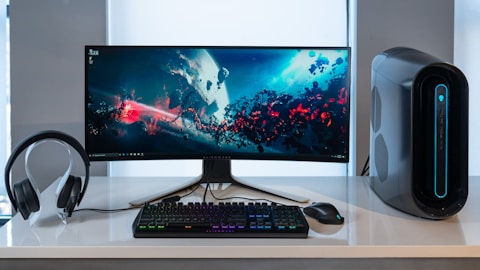
Lenovo Legion Pro 5 Gen 8 AMD FPS drops fix Windows 11

How to fix

Open Lenovo Vantage → click the performance mode icon and switch to Performance or Extreme Performance mode. This raises the GPU TDP ceiling to the rated 140W for the RTX 4070.

Connect the included 300W power adapter for gaming. USB-C and lower-wattage chargers limit GPU TDP significantly on the Legion Pro 5 Gen 8 to stay within the charger wattage.

Update the NVIDIA GPU driver from Lenovo Support for Legion Pro 5 Gen 8. Some driver versions include performance regressions for AMD laptop platforms — the Lenovo-tested version avoids these.

Monitor CPU and GPU temps using HWiNFO64 during gaming. If CPU temps exceed 95 degrees Celsius consistently, thermal throttling is active. Place the laptop on a hard flat surface or use a laptop cooler.

“Switching Vantage to Extreme Performance and plugging in the 300W charger fixed the FPS drops on my Legion Pro 5 Gen 8 immediately.” — Aizuddin, Klang

Lenovo Legion Pro 5 Gen 8 Vantage performance mode NVIDIA GPU fix Windows 11
Lenovo Legion Pro 5 Gen 8 GPU temperature monitoring FPS fix Windows 11
About the Author
Ryan holds a Computer Science degree and has spent over 15 years troubleshooting Windows hardware and driver issues across major laptop brands. He writes practical, step-by-step guides for everyday users at softwaredriverdownload.com.

Frequently Asked Questions

Why does FPS drop on Lenovo Legion Pro 5 Gen 8?

The Lenovo Legion Pro 5 Gen 8 AMD uses NVIDIA RTX 4070/4060 graphics. FPS drops are often caused by the laptop operating in Quiet or Balanced mode in Lenovo Vantage, which throttles GPU and CPU TDP. Switching to Performance mode usually resolves sudden FPS drops during gaming.

How do I stop FPS drops on Lenovo Legion Pro 5 Gen 8?

Open Lenovo Vantage → switch the performance mode to Performance or Extreme Performance. Also ensure the laptop is plugged into the 300W power brick, not a USB-C charger. Running on USB-C power limits GPU TDP and causes FPS to drop significantly.

Can thermal throttling cause FPS drops on Lenovo Legion Pro 5 Gen 8?

Yes. If the CPU temperature reaches 100 degrees Celsius under load, thermal throttling reduces clock speeds to protect the hardware. Ensure the laptop is used on a hard flat surface and the vents are unobstructed. Enabling the laptop cooler or repasting can help on older units.

Does NVIDIA driver version affect FPS on Legion Pro 5 Gen 8?

Yes. Some NVIDIA driver versions introduce power management regressions that cause GPU power limits to drop during gaming. Download the NVIDIA Game Ready Driver from Lenovo Support for Legion Pro 5 Gen 8 to get a tested version for this platform.


Posted

in

by

Tags:

Comments

Leave a Reply

Your email address will not be published. Required fields are marked *