Your Samsung Galaxy Book3 Ultra needs an NVIDIA RTX 4050 driver update – games may crash, DLSS 3 is not available, or performance is lower than expected. Knowing the right method to update the NVIDIA driver on a Samsung laptop avoids conflicts with Samsung Settings and Optimus configuration.
This guide covers the correct driver update method, Samsung Update usage, and DDU clean install for the NVIDIA RTX 4050 on the Samsung Galaxy Book3 Ultra in Windows 11.
“RTX 4050 in my Galaxy Book3 Ultra had a very old driver from the box. Samsung Update had a newer version available. Installed it and DLSS 3 became available in supported games immediately.” – Marcus, gaming content creator from KL
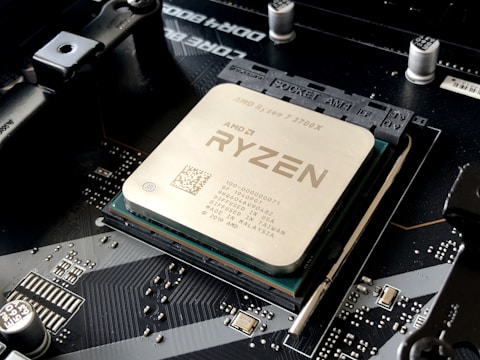
Why Driver Updates Matter for Samsung Galaxy Book3 Ultra RTX 4050
NVIDIA frequently releases driver updates that add game-specific profiles, fix TDR crashes in particular titles, enable DLSS 3 Frame Generation support, and improve Optimus GPU switching reliability. The Samsung Galaxy Book3 Ultra ships with the driver version current at manufacturing, which may be many months behind the latest release. Samsung validates each NVIDIA driver update for Galaxy Book3 Ultra compatibility before releasing it through Samsung Update.
- RTX 4050 driver outdated from factory installation lacking DLSS 3 and new game profiles
- Generic NVIDIA DSA driver conflicting with Samsung Settings GPU mode switching
- TDR crashes in specific games fixed by updated NVIDIA driver
- Samsung Update has validated Galaxy Book3 Ultra driver available but not yet installed
Method 1 – Update via Samsung Update (Recommended)
Open Samsung Update on the Galaxy Book3 Ultra. Click All Updates and scroll through the list for NVIDIA Graphics Driver or NVIDIA RTX. If available, click Update and follow the installation wizard. Restart after installation. Samsung Update delivers Samsung-validated driver packages that include Galaxy Book3 Ultra-specific Optimus power profiles and battery optimization settings that generic NVIDIA DSA packages do not include.
Method 2 – DDU Clean Install from Samsung Support
If Samsung Update does not have the latest driver or you need a specific version, go to samsung.com/us/support, search for Galaxy Book3 Ultra, and download the NVIDIA driver from the software and downloads section. Boot to Safe Mode, run DDU to clean remove all NVIDIA drivers, restart, and install the Samsung Support package. Clean installation eliminates any driver state corruption from the previous version.
Block Windows Update from Replacing Driver
After installing the Samsung-qualified NVIDIA driver, use Microsoft Show or Hide Updates troubleshooter (downloadable from Microsoft) to hide the NVIDIA Display Adapter update from Windows Update. This prevents Windows from automatically installing a generic NVIDIA driver that overwrites the Samsung-qualified package with one lacking Samsung-specific Optimus integration.
Verifying Successful Driver Installation
After installation, open DirectX Diagnostic Tool (dxdiag from Run dialog) and check the Render tab. The RTX 4050 should appear with the new driver version number. Open GeForce Experience or NVIDIA App and confirm the driver version matches the installed package. Test DLSS 3 availability in a supported game by checking the quality settings menu for DLSS Frame Generation option.
What to Do if Driver Causes Issues
If the new NVIDIA driver causes crashes or display issues on the Galaxy Book3 Ultra, roll back via Device Manager. Open Device Manager – Display Adapters – right-click NVIDIA RTX 4050 – Properties – Driver tab – Roll Back Driver. This restores the previous working driver version. Report the issue to Samsung Support so they can notify NVIDIA of the compatibility problem for the Galaxy Book3 Ultra model.
Frequently Asked Questions
How do I update NVIDIA driver on Samsung Galaxy Book3 Ultra?
Samsung Update first – check All Updates for NVIDIA driver. If not available, download Samsung-qualified driver from samsung.com/us/support and use DDU clean install.
Should I use Samsung Update or NVIDIA DSA for Galaxy Book3 Ultra?
Samsung Update first. Samsung-qualified drivers include Optimus and Samsung Settings integration. Generic DSA drivers may conflict with Samsung performance mode switching.
Why should I update NVIDIA driver on Samsung Galaxy Book3 Ultra?
New game profiles, DLSS 3 support, TDR crash fixes, and GeForce feature improvements. Samsung Update delivers stable, tested versions for this model.
Does Samsung Galaxy Book3 Ultra support DLSS 3?
Yes – RTX 4050 supports DLSS 3 Frame Generation. Requires NVIDIA driver 537 or later via Samsung Update.
Conclusion
Updating the NVIDIA RTX 4050 driver on Samsung Galaxy Book3 Ultra in Windows 11 should always be done via Samsung Update first, as Samsung-validated packages include Galaxy Book3 Ultra-specific Optimus and battery optimization settings. DDU clean install with the Samsung Support package is the alternative for specific versions or when Samsung Update does not list the latest release. Blocking Windows Update from replacing the Samsung-qualified driver prevents future compatibility issues.
Ryan holds a Computer Science degree and has spent over 15 years troubleshooting Windows hardware and driver issues across major laptop brands. He writes practical, step-by-step guides for everyday users at softwaredriverdownload.com.
Leave a Reply